An Intuitive Tool for Euler Angles, Quaternions, and Rotation Matrices
TL;DR
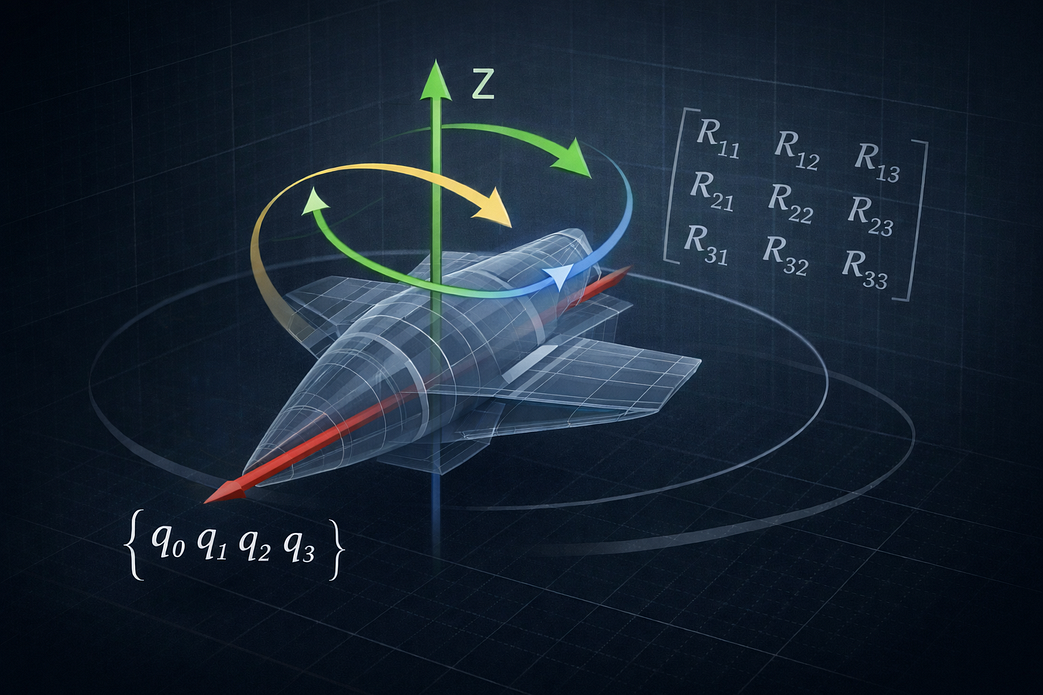
3D rotations are notoriously error-prone due to multiple representations and sensitivity to conventions. This article explores a web-based tool that converts between Euler angles, quaternions, rotation matrices, and axis–angle formats while providing real-time 3D visualization — making rotation analysis more intuitive and verifiable for engineers, researchers, and students.
Introduction
Three-dimensional rotations are fundamental in robotics, aerospace engineering, computer graphics, and navigation systems. Yet, despite their importance, they remain a common source of confusion due to the coexistence of multiple mathematical representations, differing conventions, and the strong dependence on rotation order.
While working with rotation composition and representation changes, I came across Rotation Converter, a web-based application that addresses these challenges by combining precise numerical conversion with interactive 3D visualization in a single interface.
👉 Explore the tool here: https://rotationconverter.app/
Why Rotation Representation Matters
In engineering practice, rotations are commonly expressed using:
- Euler angles, often with sequence-dependent conventions
- Rotation matrices, also known as Direction Cosine Matrices (DCM)
- Quaternions, favored for numerical stability
- Axis–angle representations, useful for geometric interpretation
Each representation has strengths and limitations. Problems arise not from the mathematics itself, but from inconsistent assumptions when converting between formats. Tools that expose both the numerical values and the geometric effect of a rotation can significantly reduce these errors.
Converting Between Euler Angles, Quaternions, and Rotation Matrices
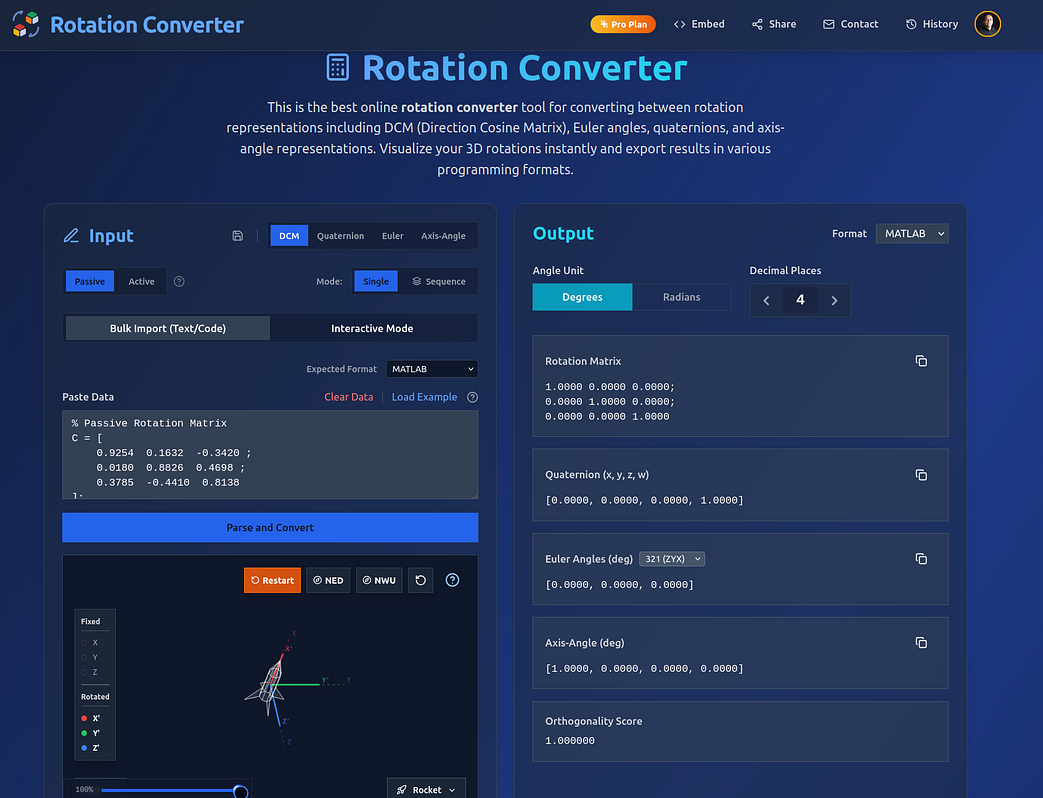
The central feature of Rotation Converter is a synchronized input–output layout. A rotation entered in one representation — Euler angles, quaternion, DCM, or axis–angle — is immediately converted and displayed in all others.
This makes it straightforward to:
- Verify conversions across representations
- Identify sign or convention mismatches
- Cross-check results between different software tools
- The numerical output is cleanly formatted, making it easy to copy directly into MATLAB, Python, C++, or LaTeX-based workflows.
Visualizing 3D Rotations in Real Time
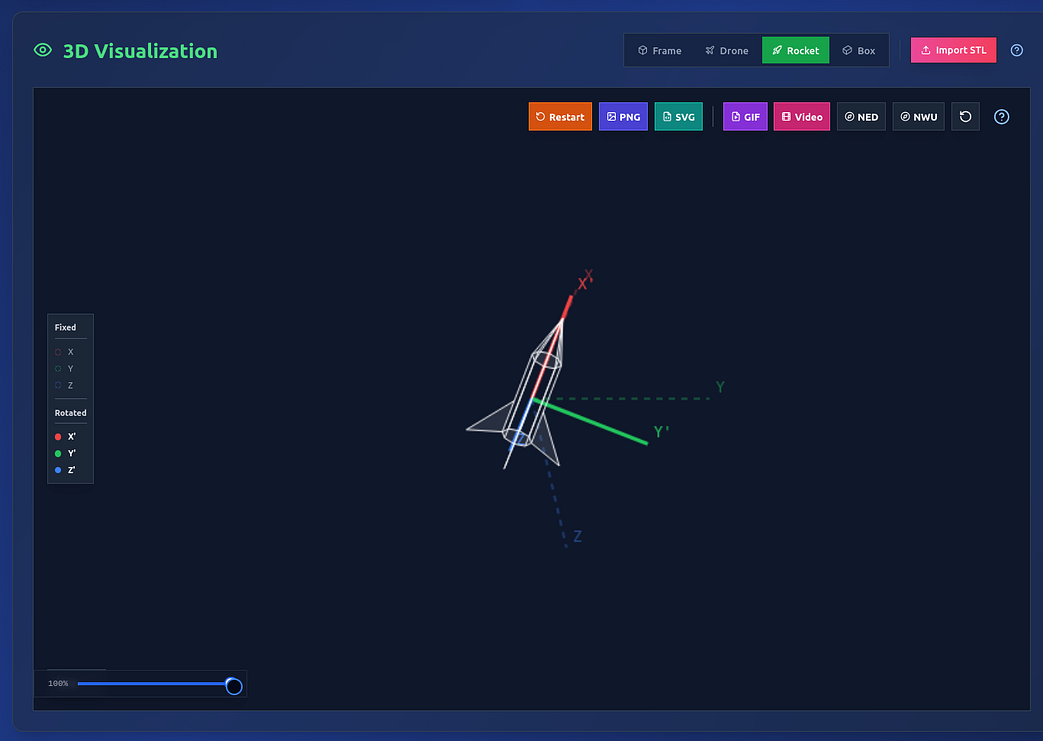
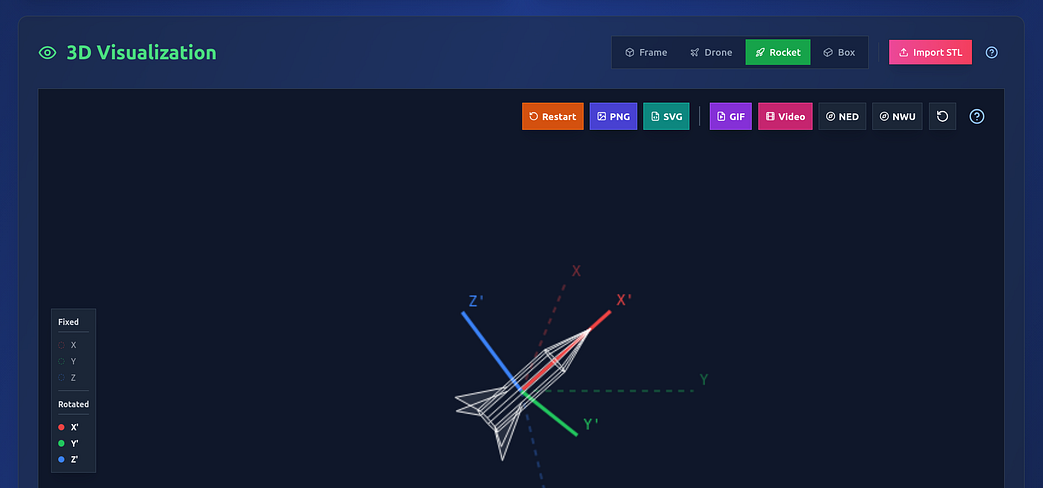
Numerical correctness alone is often insufficient for developing intuition. Rotation Converter includes an interactive 3D viewer that renders the orientation of a rigid body, including its coordinate axes.
As rotation parameters change, the visualization updates instantly. This allows users to directly observe how different representations — and especially different Euler sequences — affect orientation in space.
This capability is particularly valuable for debugging and for instructional settings, where visual feedback can clarify abstract concepts.
Multi-Step Rotation Sequences and Composition
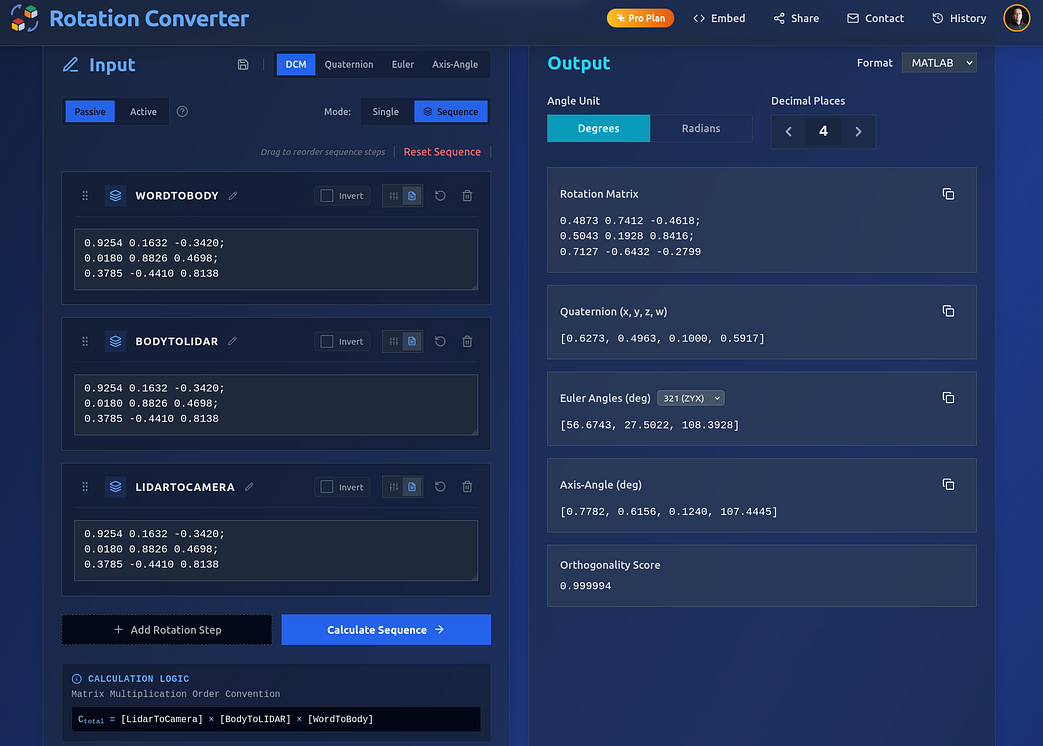
In many real-world applications, rotations are applied sequentially rather than as a single transformation. Rotation Converter includes a sequence mode that allows users to construct and inspect multi-step rotation chains.
Each step is explicitly defined and can be reordered, inverted, or removed. Intermediate orientations are preserved, making it easier to reason about composition effects.
This functionality is well-suited for:
- Attitude propagation problems
- Reference frame transformations
- Teaching the impact of rotation order
Precision-Oriented Output for Engineering Workflows
Rotation Converter places clear emphasis on numerical precision and reproducibility. Output values can be displayed with sufficient precision for engineering analysis and are formatted to minimize friction when transferring data into code or documentation.
This design choice suggests that the tool is intended not only for learning but also for validation, verification, and debugging in professional workflows.
Custom Geometry and Export Capabilities
Beyond generic reference objects, the application allows users to import custom STL files, enabling rotations to be visualized on application-specific geometries such as UAVs, spacecraft, or robotic components.
The visualization panel also supports exporting results as:
- Static images (PNG, SVG)
- Animated GIFs
- Video files
These features are especially useful for technical reports, presentations, and educational materials.
Intended Audience
Rotation Converter is particularly well-suited for:
- Robotics and aerospace engineers
- Undergraduate and graduate engineering students
- Researchers working with kinematics and attitude representation
- Educators teaching 3D rotations and reference frames
Its balance of mathematical transparency, visualization, and usability makes it a strong companion tool rather than a black-box calculator.
Concluding Remarks
Developing intuition for 3D rotations requires both numerical rigor and geometric understanding. Rotation Converter offers a thoughtful integration of these perspectives in an accessible, browser-based environment.
For anyone working with Euler angles, quaternions, or rotation matrices — and needing to move confidently between them — this tool provides a practical and well-designed solution.
👉 Try it here: https://rotationconverter.app/



Leave a comment